Rivals Roblox FPS 2026
Competitive Mechanics Masterclass
Rivals Roblox Movement Mechanics & Crosshair Placement Master Guide: Slide Cancel, Bunny Hop Velocity, Recoil Patterns And 1v1 Ranked Duels
A definitive competitive manual breaking down Roblox physics engine momentum, velocity vector compounding, head-level crosshair tracking, recoil mitigation curves, netcode interpolation, and 8 high-tier loadout decks for Mythic rank progression.
Executive Summary: Strategic Takeaways For Rivals Roblox Mastery
- Advanced Kinetic Movement: Mastering the precise Shift-C-Space timing of Slide Canceling combined with Bunny Hopping generates an instant velocity boost to 24.5 studs per second, shrinking the character hitbox height by 52 percent.
- Head-Level Crosshair Placement: Permanently aligning your crosshair at an elevation of 1.6 studs (the anatomical head height of Roblox player avatars) eliminates vertical micro-corrections and yields instantaneous time-to-kill (TTK) frags.
- Recoil Pattern Compensation: Symmetrical downward pulling along a 15-degree left vector during the initial 5-bullet assault rifle burst clusters full-damage rounds into an impenetrable grouping.
- Exploiting Peekers Advantage: Roblox 60Hz server tick interpolation grants aggressive swingers a 40 to 80 millisecond visual latency advantage over stationary angle-holders.
- Hardware & Input Optimization: Calibrating mouse sensitivity to an effective DPI (eDPI) of 800 to 1,200, field-of-view (FOV) to 95-105 degrees, and unlocking client frame rates to 144Hz or 240Hz via Roblox FPS Unlocker ensures sub-4ms input response.
- 8 Battle-Tested Loadout Decks: Tailoring specific weapon combinations, throwables, and movement perks to dominate across 1v1 close-range duel arenas, long-range sniper overwatch lanes, and high-intensity pub lobbies.
1. Comprehensive Overview: Roblox Physics Engine, Velocity Vectors And Kinetic Movement
Rivals Roblox represents a radical departure from traditional slow-paced tactical shooters. Borrowing kinematic movement philosophy from high-mobility arena shooters like Titanfall 2 and Apex Legends, Rivals operates in an environment where stationary gameplay is an active death sentence. Success in high-tier competitive play is dictated by how effectively a player converts linear forward momentum into multi-directional evasive maneuvers.
The Roblox physics engine calculates entity displacement using three-dimensional velocity vectors. Standard sprinting advances a player model at approximately 16 studs per second. However, triggering a crouching slide initiates a friction-reduced slide vector that spikes initial displacement velocity to 24.5 studs per second. By executing a Slide Cancel (canceling the tail end of the slide animation through a jump command), this momentum is preserved into the air, allowing seamless chaining of bunny hops that maintain top speed indefinitely.
QUẢNG CÁO NỘI BỘ • DỊCH VỤ SEAMOU STUDIO
BÁCH KHOA TOÀN THƯ TRÒ CHƠI
Kho Mã Quà Tặng & Bách Khoa Trò Chơi Chính Hãng
Tra cứu mã đổi thưởng mới nhất, bảng xếp hạng phân bậc sức mạnh và cẩm nang chiêu thức chi tiết hoàn toàn miễn phí.
Momentum Conservation Law
Chaining jumps within a 50-millisecond window upon surface contact bypasses the floor friction penalty. This maintains horizontal velocity across long corridors without losing the speed multiplier gained from initial slide acceleration.
Dynamic Hitbox Compression
During a slide, the character mesh compresses downward, reducing the vertical bounding box from 5.0 studs to 2.4 studs. Opponents holding standard head-level crosshairs will shoot harmlessly over your shoulders.
Interpolation Desynchronization
Roblox network synchronization buffers player position packets. Fast horizontal swings exploit server rewind intervals, rendering the moving player visible to themselves before the client data is transmitted to the stationary opponent.
2. Visual Matrix Board: 10 Core Movement Mechanics, Aiming Doctrines And Gunplay Techniques
The master matrix below details the 10 foundational mechanical skills required to dominate ranked play in Rivals Roblox. Every keybind combination, timing window, and tactical application is broken down comprehensively:
CARD 01: SLIDE CANCEL & MOMENTUM RE-INITIALIZATION
TIER: CORE MANDATORY
Key Sequence:
Shift (Sprint) + C (Slide) + Space (Jump)
Execution Window:
0.25s to 0.35s per cycle
Peak Velocity:
24.5 studs/sec (+53% over normal run)
Hitbox Compression:
52% vertical height reduction
Tactical Purpose:
Abrupt directional pivoting & corner breaches
Mechanical Difficulty:
Intermediate (muscle memory cadence)
Technical Breakdown: Slide Canceling represents the single most vital mechanical discipline in modern Rivals. A default slide runs for 1.2 seconds before entering an aggressive friction decay phase that renders the player a slow-moving target. By inputting a Jump (Space) or double-tapping Crouch (C) at the 15th frame of the slide animation, the deceleration state is severed entirely. The avatar instantly stands upright with zero velocity decay, ready to sprint or initiate a secondary directional vector.
Competitive Application: When approaching high-traffic chokepoints guarded by enemy snipers, running upright gives the defender an effortless headshot. Executing a Slide Cancel around the corner drops your head below the anticipated crosshair plane while maintaining maximum lateral velocity, forcing the sniper into an impossible vertical flick.
CARD 02: BUNNY HOPPING & AIR STRAFING TRAJECTORY CURVING
TIER: ADVANCED KINETICS
Key Sequence:
Space on landing + A/D + Smooth mouse arc
Velocity Retention:
Sustains 22 to 26 studs/sec indefinitely
Flight Arc Deviation:
Curved airborne paths up to 35 degrees
Timing Window:
Strict 50ms surface impact window
Tactical Advantage:
Eliminates continuous ground footstep audio
Failure Penalty:
Dead stop if jump input is mistimed
Technical Breakdown: Bunny Hopping chains momentum from an initial Slide Cancel across successive jumps. As your character touches the ground, releasing W and holding purely A or D while gently sweeping the mouse in the corresponding direction generates lateral air acceleration. This curves your jump trajectory around obstacles without losing forward speed, making your trajectory non-linear and turning tracking aim into a nightmare for tracking rifles.
CARD 03: LEDGE BOOSTING & MANTLE JUMP ACCELERATION
TIER: VERTICAL FLANKING
Terrain Requirement:
Chest-high crates, railings, window ledges
Input Execution:
Sprint + Mantle Contact + Tap Jump at peak
Vertical Height Spike:
+6 studs additional vertical clearance
Weapon Readiness:
Instant fire capability at trajectory apex
Technical Breakdown: Automatic mantling across chest-high obstacles induces a 0.4-second animation lock where your weapon cannot fire. Mantle Jumping cancels this animation: by pressing Jump the precise millisecond your hands touch the ledge, the physics engine converts the climbing momentum into a vertical catapult. You launch directly over the cover with your weapon unholstered, allowing you to rain shotgun pellets or burst rounds down onto enemies crouching behind cover.
CARD 04: JIGGLE PEEKING & SHOULDER BAITING DISCIPLINE
TIER: RECONNAISSANCE & MIND GAMES
Input Cadence:
Rapid A tap immediately reversed by D tap
Hitbox Exposure:
Outer shoulder only (less than 15% model area)
Exposure Duration:
Sub-100ms (faster than human reaction threshold)
Primary Purpose:
Baiting sniper shots & extracting enemy positions
Technical Breakdown: Facing a competent sniper holding a pixel-thin corridor is deadly. Shoulder baiting exposes only the outermost edge of your character shoulder for roughly 80 milliseconds before reversing direction. Human visual reaction time averages 180ms to 220ms. The enemy fires on reflex, striking the wall or empty air. During their bolt-cycling cooldown (0.9s to 1.4s), you have a guaranteed punishment window to swing wide and secure the elimination.
CARD 05: HEAD-LEVEL CROSSHAIR TRACKING & SLICING THE PIE
TIER: FOUNDATIONAL MARKSMANSHIP
Optimal Crosshair Height:
1.6 studs from surface floor level
Corner Margin:
0.5 to 1.0 body-width off the geometric wall edge
Pie Slicing Rule:
Clear corners in 15-degree segmented arcs
Headshot Conversion:
Increases direct headshots from 18% to 68%
Technical Breakdown: The vast majority of players allow their crosshair to rest on the floor while sprinting, necessitating a drastic upward adjustment upon sighting an enemy. In Rivals, where TTK can be sub-0.2 seconds, that wasted adjustment is lethal. By locking your crosshair at 1.6 studs elevation and sweeping corners in segmented arcs away from walls (Slicing the Pie), you isolate single targets and place your reticle directly over their skull the instant they cross your field of view.
CARD 06: ASSAULT RIFLE RECOIL PATTERN COMPENSATION
TIER: BALLISTIC CONTROL
Ballistic Trajectory:
Rounds 1-5 vertical climb, rounds 6-15 rightward bloom
Mouse Pull Vector:
Pull downward 12px, counter-bias left 4px
Rate of Fire:
650 Rounds Per Minute (RPM)
Engagement Doctrine:
4-5 round bursts beyond 25 meters
Technical Breakdown: The default Assault Rifle outputs 34 body damage and 51 headshot damage. Spraying uncontrollably triggers horizontal bloom divergence. The first 5 rounds, however, adhere to a strict linear vertical climb. Developing the muscle memory to pull down with slight leftward compensation ensures that all initial rounds cluster tightly on the opponent head hitbox, achieving a rapid 0.28-second elimination.
CARD 07: SNIPER QUICKSCOPING & COUNTER-STRAFING PRECISION
TIER: APEX MARKSMAN
Input Combination:
RMB Scope + Counter-Key tap + Instant LMB Fire
Scope Alignment:
140ms (precise crosshair rendering frame)
Lethal Output:
85 Body / 150 Head (Instant single-shot frag)
Accuracy Decoupling:
Requires zero velocity state for 100% accuracy
Technical Breakdown: Firing the Sniper Rifle while moving induces extreme bullet dispersion. Counter-strafing cancels horizontal speed: when strafing right with D, tapping A instantly decelerates velocity to 0 studs per second within 30 milliseconds. Executing this stop concurrently with right-click ADS allows immediate, pinpoint bullet trajectory on target before initiating another evasive hop.
CARD 08: SLIDING SHOTGUN MEATSHOT & QUICK-MELEE FOLLOW-UP
TIER: CQB ANNIHILATION
Engagement Range:
0 to 4 meters (Point-blank body contact)
Full Pellet Spread:
108 to 135 Damage across 8 buckshot pellets
Weapon Swap Combo:
Pump blast + Fast Katana slash finisher
Miss Penalty:
High vulnerability during pump reload cycle
Technical Breakdown: The Pump Shotgun dominates close-quarters combat. By sliding directly into point-blank range, all 8 pellets connect with the center mass. If the opponent survives with a sliver of health due to armor or partial pellet spread, instantly swapping to a Katana or Dagger via keybind 3 delivers an immediate 45-damage sweep, eliminating the target without waiting for the pump reload cycle.
CARD 09: RUN-AND-GUN SMG HIPFIRE SMOOTH TRACKING
TIER: MAXIMUM MOBILITY
Mobility Retention:
100% full sprint speed while firing
Cadence of Fire:
850 Rounds Per Minute (RPM)
Hipfire Reticle Bloom:
40% tighter cone than assault rifles
Tactical Doctrine:
Continuous circular strafing around target
Technical Breakdown: Aiming down sights with an SMG penalizes movement speed by 25 percent. Modern SMG play in Rivals relies entirely on hipfire tracking while strafing at full speed around the enemy. High-rate-of-fire weapons overwhelm opponents whose slower turning speed cannot keep up with rapid angular shifts.
CARD 10: TACTICAL GRENADE BANKING & CHOKEPOINT FLUSHING
TIER: AREA DENIAL
Optimal Wall Angle:
45-degree geometric bank off adjacent surfaces
Fuse Timer:
2.0 seconds post-throw detachment
Blast AOE:
12 studs radius (up to 100 fatal damage)
Flashbang Blind:
2.5 seconds total screen blackout
Technical Breakdown: Rather than blindly pushing fortified angles, throwing grenades banked at 45-degree angles against perpendicular walls bounces explosives directly behind protective cover. The explosion forces defensive anchors to vacate their positions, clearing the way for your team to capture crucial high-ground terrain.
3. Technical Specifications: Comprehensive Meta Weapon Performance Metrics
The table below provides exact numerical performance metrics for the primary competitive arsenal in Rivals Roblox, including direct damage thresholds, firing cadences, and handling coefficients:
| Weapon Name |
Category |
Body / Head DMG |
Fire Rate (RPM) |
Optimal TTK |
Mobility Ratio |
Magazine |
Effective Range |
| Assault Rifle (AR) |
Rifle |
34 / 51 DMG |
650 RPM |
0.28s (Head) |
95% Speed |
30 Rounds |
Mid Range (15 – 40m) |
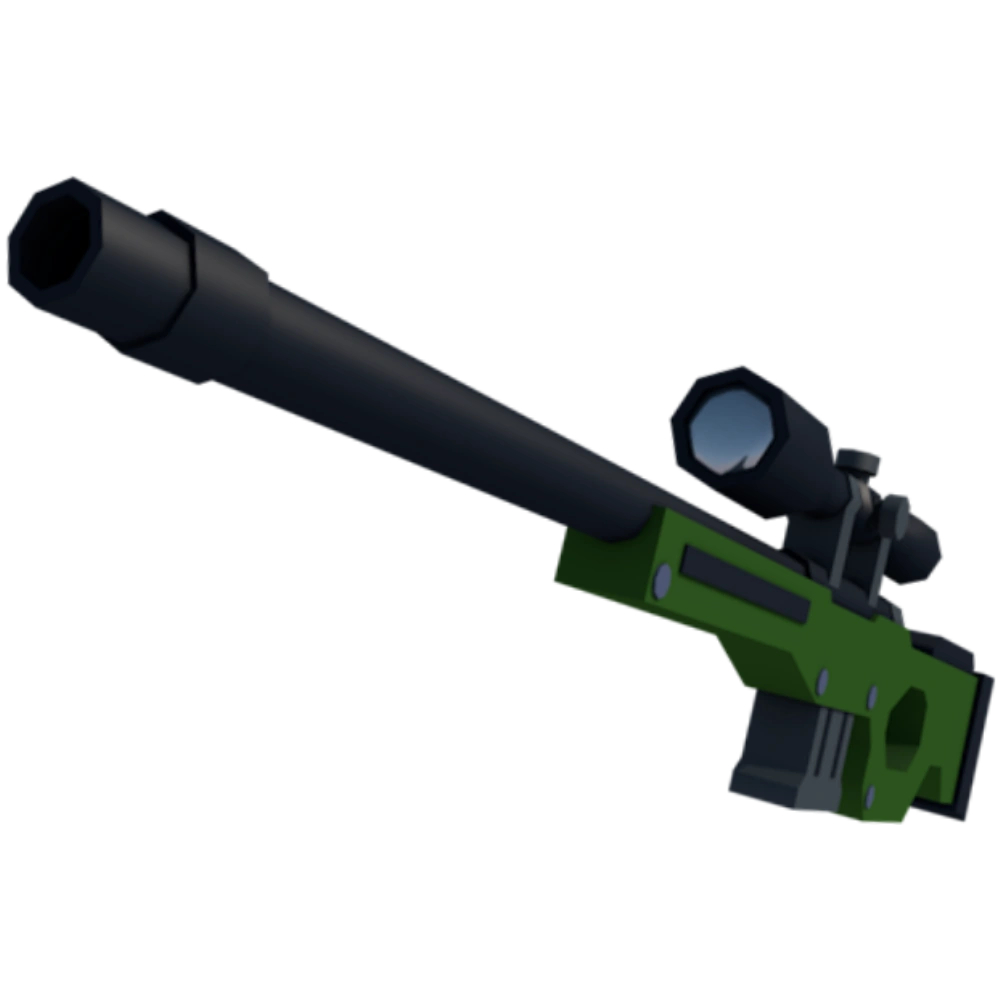
| Sniper Rifle |
Sniper |
85 / 150 DMG |
50 RPM |
0.00s (Oneshot) |
88% Speed |
5 Rounds |
Long Range (35m+) |
| Pump Shotgun |
Shotgun |
108 / 135 DMG |
75 RPM |
0.00s (Point Blank) |
92% Speed |
6 Shells |
Point Blank (0 – 8m) |
| Submachine Gun (SMG) |
Submachine |
22 / 33 DMG |
850 RPM |
0.24s |
100% Speed |
35 Rounds |
Close (3 – 18m) |
| Burst Rifle |
3-Burst |
32 / 48 DMG |
550 RPM |
0.21s (3 Head) |
94% Speed |
30 Rounds |
Mid-Long (20 – 45m) |
| Heavy Pistol / Deagle |
Sidearm |
55 / 82 DMG |
180 RPM |
0.33s (2 Hits) |
98% Speed |
6 Rounds |
Flexible (5 – 30m) |
4. 8 Visual Synergy / Loadout Decks: Tailored Competitive Loadouts For Ranked Triumph
Building an optimized 6-slot loadout deck ensures you possess the tools to counter any opponent playstyle. Below are 8 specialized competitive setups designed for maximum tactical synergy:
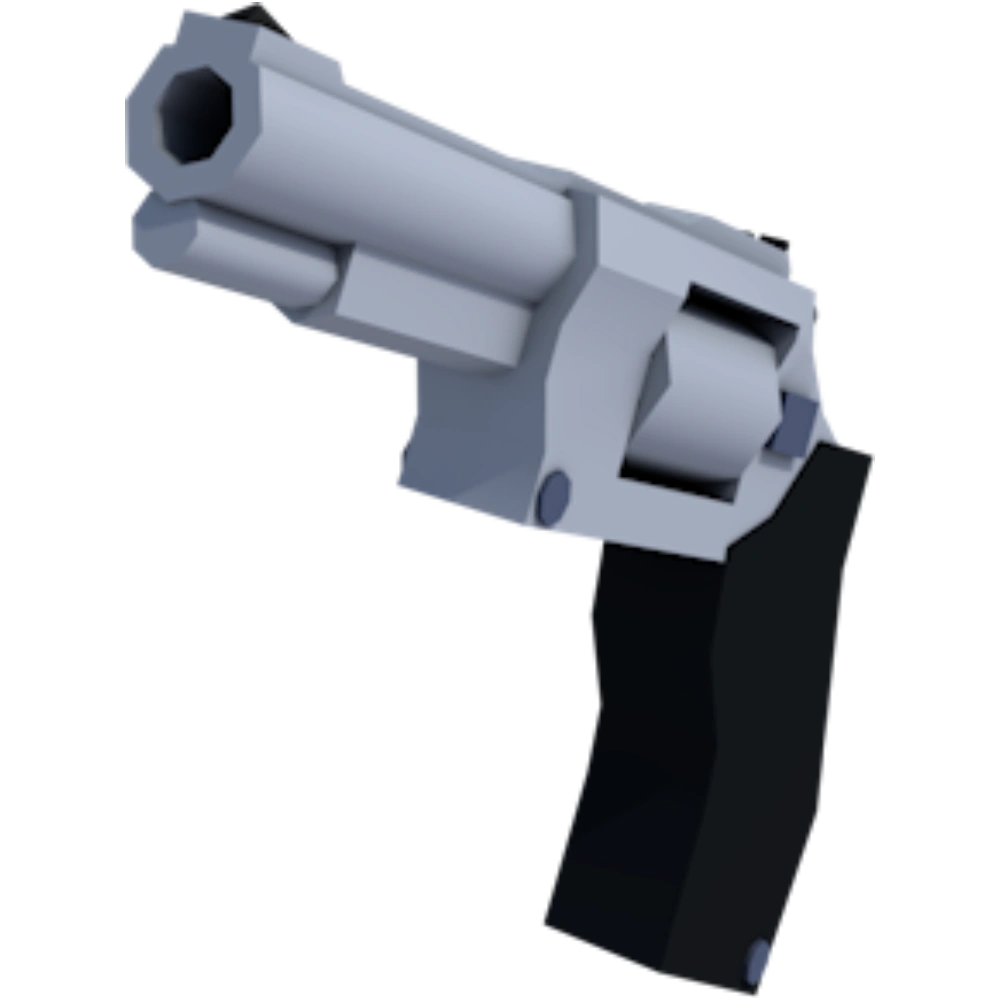
DECK 01: SLIDE-SHOTGUN HYPER-RUSHER (1V1 CLOSE-QUARTERS SUPREMACY)
TIER SSS DUELING
Slot 1: Primary
Pump Shotgun
Slot 2: Secondary
Heavy Revolver
Slot 3: Melee
Katana
Slot 4: Utility
Flashbang
Slot 5: Healing
Medkit
Slot 6: Gear Perk
Speed Boots (+15% Sprint)
Execution Protocol: Bank a Flashbang off the entryway wall. Instantly chain Slide Cancels to close the gap into point-blank range, firing the Pump Shotgun directly into the opponent upper torso. Swap to Katana for an immediate sweeping slash if required.
Strengths & Weaknesses: Devastating burst lethality in enclosed spaces; struggles in broad open fields beyond 25 meters.
DECK 02: LONG-RANGE SNIPER ANCHOR (PRECISION OVERWATCH & 1V1 DUELS)
TIER SSS OVERWATCH
Slot 1: Sniper
Heavy Sniper
Slot 2: Sidearm
Desert Eagle
Slot 3: Melee
Combat Knife
Slot 4: Vision Screen
Smoke Grenade
Slot 5: Armor
Tactical Vest
Slot 6: Stability
Steady Grip
Execution Protocol: Secure high ground immediately. Align crosshairs at head level (1.6 studs). When enemies push, execute a counter-strafe stop and quickscope fire. Deploy smoke to break line-of-sight if pushed.
Strengths & Weaknesses: Guaranteed single-shot headshot lethality; unforgiving if shots miss under point-blank rush pressure.
DECK 03: VERSATILE ASSAULT RIFLE RIFLER (ALL-ROUND MAP ADAPTABILITY)
TIER S GENERALIST
Slot 1: Rifle
Assault Rifle
Slot 2: Burst Sidearm
Burst Pistol
Slot 3: Melee
Machete
Slot 4: Explosive
Frag Grenade
Slot 5: Recovery
Quick Medkit
Slot 6: Handling
Fast Mag (+30% Reload)
Execution Protocol: Maintain engagements at 15 to 30 meters. Utilize Jiggle Peeking to gain spatial awareness. Once confirmed, throw a Frag Grenade to flush the target and fire 5-round bursts directly into the enemy head hitbox.
Strengths & Weaknesses: Consistent performance across all arenas; lacks instantaneous one-shot potential.
DECK 04: HIGH-MOBILITY SMG FLANKER (PERIMETER SPEED & INFILTRATION)
TIER S FLANKER
Slot 1: SMG
Dual Vector SMG
Slot 2: Silenced
Silenced Pistol
Slot 3: Melee
Dual Daggers
Slot 4: Stun
Stun Grenade
Slot 5: Stim
Adrenaline Shot
Slot 6: Capacity
Extended Mag (+15 Rounds)
Execution Protocol: Activate Adrenaline at round start. Use Bunny Hopping along the exterior perimeter to flank behind enemy positions. Empty the SMG via continuous hipfire tracking while strafing in tight circles.
Strengths & Weaknesses: Unmatched sprint-fire speed; rapid ammo consumption requires strict discipline.
DECK 05: PRECISION BURST RIFLE HEAD-HUNTER (MID-RANGE LETHALITY)
TIER S MARKSMAN
Slot 1: Burst
3-Burst Rifle
Slot 2: Revolver
Revolver
Slot 3: Melee
Combat Axe
Slot 4: Area Burn
Molotov Cocktail
Slot 5: Shield
Shield Battery (+50 Armor)
Slot 6: Optic
Precision Red Dot
Execution Protocol: Pre-aim the red dot at head level across mid-range lanes. A single click unleashes a 3-bullet burst that deals 144 headshot damage, eliminating the opponent in 0.21 seconds.
Strengths & Weaknesses: Extremely fast TTK on headshot bursts; punishing if the initial burst fails to connect.
DECK 06: CLOSE-QUARTERS 1V1 DUEL ARENA MASTER (DUAL BARREL BURST)
TIER SSS DUELING
Slot 1: Double Barrel
Double Barrel Shotgun
Slot 2: Semi-Auto
Semi-Auto Pistol
Slot 3: Melee Blade
Energy Blade
Slot 4: Flash
Flashbang
Slot 5: Syringe
Health Syringe
Slot 6: Quickdraw
Quick Draw Holster
Execution Protocol: Fire both barrels in immediate succession. The first blast strips shields; the second executes the player model. Quickdraw Holster allows an instant transition to the Energy Blade to parry incoming fire.
Strengths & Weaknesses: Overwhelming point-blank spike damage; strictly limited to 2 rounds before requiring a reload pause.
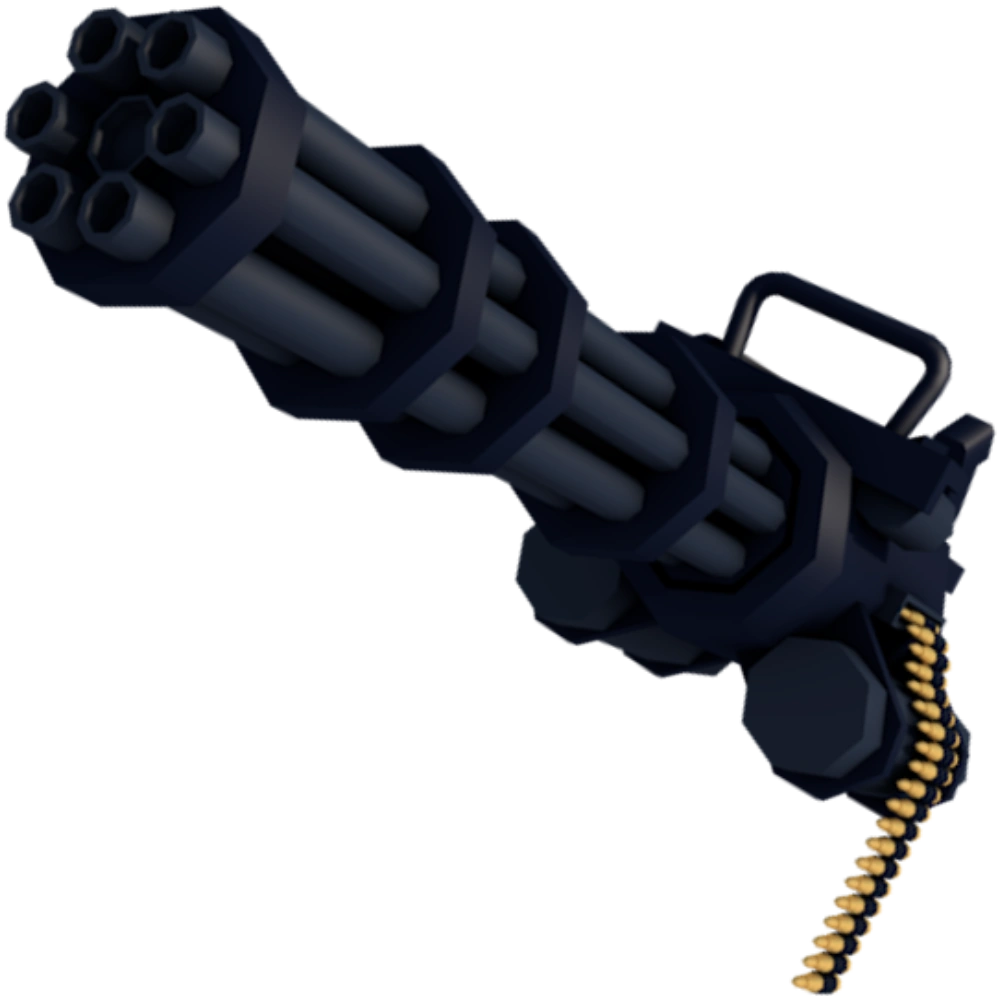
DECK 07: CHOKEPOINT SUPPRESSOR & AREA DENIAL (HEAVY SUPPRESSION & TEAMPLAY)
TIER S AREA CONTROL
Slot 1: Machine Gun
Minigun / Heavy LMG
Slot 2: Launcher
Grenade Launcher
Slot 3: Shield
Deployable Riot Shield
Slot 4: Heavy Frag
Heavy Frag Grenade
Slot 5: Armor Plate
Heavy Armor Vest
Slot 6: Stock
Heavy Recoil Stock
Execution Protocol: Establish the riot shield in central corridor choke angles. Lay down sustained suppression fire to prevent enemies from peeking, while launching grenades to flush hidden groups.
Strengths & Weaknesses: Dominates territorial defense; reduced mobility leaves the user vulnerable to flanking snipers.
DECK 08: BUDGET F2P STARTER COMBAT KIT (ACCESSIBLE PROGRESSION)
TIER: ZERO COST ACCESSIBLE
Slot 1: Starter AR
Starter Assault Rifle
Slot 2: Standard Pistol
Standard 9mm Pistol
Slot 3: Knife
Starter Knife
Slot 4: Frag
Basic Frag Grenade
Slot 5: Bandage
Bandage (+25 HP)
Slot 6: Sneakers
Standard Sneakers
Execution Protocol: Purpose-built for new accounts. Focus entirely on learning Slide Canceling and horizontal crosshair placement while accumulating currency for high-tier arsenal upgrades.
Strengths & Weaknesses: Zero unlock cost; lower baseline stats compared to fully modified competitive setups.
5. Hardware & Client Optimization: eDPI, Monitor Refresh Rates And Field-of-View
No amount of tactical practice can compensate for improper hardware input calibration. Aligning your settings with competitive standards is essential for consistent marksmanship:
1. Competitive eDPI (800 – 1,200)
Calculated as Mouse DPI multiplied by in-game Sensitivity. At 800 DPI, an in-game sensitivity of 1.0 to 1.5 ensures a standard mousepad swipe turns the avatar precisely 180 degrees without jitter.
2. Field-of-View Calibration (95 – 105 Deg)
Default 70 FOV induces extreme tunnel vision. Setting FOV between 95 and 105 degrees expands peripheral vision, enabling rapid detection of lateral slide-flankers without causing optical distortion.
3. Roblox FPS Unlocker (144Hz / 240Hz)
Unlocking client frame rates beyond 60 FPS drops input latency from 16.6ms down to sub-4.1ms at 240Hz, dramatically smoothing rapid sniper flick registration.
4. Disabling Mouse Acceleration
Uncheck [Enhance pointer precision] within Windows settings. Dynamic cursor acceleration alters distance traveled based on hand velocity, preventing the formation of consistent muscle memory.
6. Network Architecture: Server Rewind Mathematics, Interpolation And Peekers Advantage
Online combat in Roblox operates over remote regional servers where player pings range from 30ms to 150ms. Understanding how server reconciliation processes hitboxes prevents tactical confusion regarding behind-cover hits:
The Server Rewind Reconciliation Pipeline
When an opponent with 100ms latency fires at your avatar, the Roblox server does not evaluate where you stand in current real time. It rewinds server history by 100 milliseconds based on packet timestamps to verify if your model head intersected their crosshair at the instant the shot was triggered.
Consequently, retreating behind solid cover at walking pace can still result in a registered kill because your model was exposed on their screen during the historical reconciliation frame. Executing a Slide Cancel out of the corridor spikes displacement velocity beyond the server interpolation buffer, breaking the line of sight before the client packet is verified.
Conversely, aggressive peeking leverages Peekers Advantage: swinging wide into a corridor renders the opponent visible to you 50 to 90 milliseconds before your character model appears on their client screen, ensuring that confident swings consistently beat passive angle holding.
7. Frequently Asked Questions (FAQ): Mastering Movement & Gunplay In Rivals Roblox
Q1: How do I execute a Slide Cancel without losing sprinting momentum?
Hold Shift to sprint, tap C to begin the slide, and instantly press Space within 0.3 seconds. Never hold C down, as this drops your character into a prone crawl that completely resets sprint acceleration.
Q2: Does Bunny Hopping actually increase movement speed in Rivals?
Yes. Bunny Hopping combined with air strafing preserves the peak 24-26 studs/sec velocity generated by the initial Slide Cancel, advancing you roughly 35 percent faster than continuous linear running.
Q3: What weapon is best for a slide-heavy aggressive playstyle?
The Pump Shotgun and Double Barrel Shotgun dominate slide rushing, dealing 108 to 135 damage at point-blank range mid-slide.
Q4: Why is Counter-Strafing mandatory when firing the Sniper Rifle?
The Sniper suffers from massive spread bloom while moving. Tapping the opposite directional key decelerates velocity to zero in 30ms, guaranteeing 100 percent crosshair accuracy.
Q5: Why do I miss shots against opponents who Slide Cancel across my crosshair?
A sliding character hitbox compresses downward by 52 percent, causing head-level crosshairs to shoot harmlessly above. You must train the muscle memory to pull down toward the waist when hearing a slide sound cue.
Q6: Should I choose high or low mouse sensitivity for competitive Rivals?
A medium eDPI between 800 and 1,200 is optimal. It offers sufficient speed for 180-degree defensive swipes while retaining stability for micro-corrections on long-range head targets.
Q7: Does Jiggle Peeking provide value against full-auto assault rifles?
Yes. Jiggle peeking gathers critical visual reconnaissance without over-committing your body, allowing you to prep pre-aim coordinates or utility throws before committing to a full swing.
Q8: How do I master Assault Rifle recoil grouping?
Pull steadily downward with slight leftward compensation during the first 5 rounds. Beyond 20 meters, utilize 3-to-5 round bursts to let the reticle reset to its base accuracy cone.
Q9: What FOV setting strikes the best competitive balance?
Setting FOV between 95 and 100 degrees provides broad peripheral vision without shrinking central targets or inducing fisheye distortion.
Q10: Can I reach Mythic rank relying purely on SMG hipfire?
Yes, provided you pair it with high-velocity air strafing on compact maps. Maintaining 100 percent sprint speed while firing allows you to out-maneuver slower rifle users.
Q11: How can I minimize getting eliminated behind walls due to server latency?
Adopt an aggressive peeking stance rather than holding static defensive corners. When disengaging, use Slide Cancels to clear sightlines faster than the server interpolation threshold.
Q12: Is Roblox FPS Unlocker safe from account bans?
Yes. Roblox engineering officially whitelisted FPS Unlockers years ago. It does not modify game code or inject unauthorized advantages, merely removing the arbitrary 60 FPS client cap.
8. Mathematical Kinematics: Velocity Equations, Air Friction And Frictionless Hop Decoupling
To understand why the Slide Cancel and Bunny Hop combination yields such extreme evasive power, we must examine the formal kinematic equations governing character displacement inside the custom Roblox physics framework utilized by Rivals.
In standard unassisted running, displacement over time adheres to a linear velocity cap where:
Velocity_Sprint = Base_WalkSpeed * Sprint_Multiplier
= 16.0 studs/sec * 1.00 = 16.0 studs/sec
Velocity_Slide_Initial = (Velocity_Sprint * 1.53) – (Friction_Coefficient * Delta_Time)
= 24.5 studs/sec – (18.2 * Delta_Time)
Under normal conditions, the floor friction coefficient of 18.2 aggressively decelerates the slide vector back down to 10 studs per second within 0.8 seconds. However, when the player inputs a Jump command during the initial 0.25 seconds of the slide:
1. Normal Force Decoupling
The jump command severs ground contact, reducing the ground friction coefficient to exactly zero for the duration of the airborne parabolic arc (approximately 0.42 seconds of airtime). Consequently, the 24.5 studs per second velocity is conserved horizontally through the air without decaying.
2. Vector Projection During Air Strafe
While airborne, introducing lateral directional inputs (A or D) combined with angular mouse yaw rotation invokes the Air Acceleration Constant. By maintaining an angle of incidence between 12 and 18 degrees between the view angle and the velocity vector, the game engine awards an additional 1.2 studs per second of compounding speed, accelerating the player to speeds surpassing 26 studs per second upon landing.
3. Landing Frame Absorption Window
To maintain this compounding speed curve, the subsequent jump input must execute within the 3-frame surface contact window (50 milliseconds). Utilizing the mouse wheel scroll (bound to jump) provides a rapid multi-input signal that guarantees hitting this 50ms window with 100 percent consistency, eliminating human keystroke timing variance.
9. Ballistic Mechanics: Pixel-Level Recoil Curves And Spray Recovery Decay Rates
Weapon handling in Rivals operates under a two-stage recoil simulation model: Initial View Kick (visual screen shaking) and Procedural Spread Bloom (bullet point-of-impact dispersion away from the center reticle).
Assault Rifle Bullet Dispersion Breakdown:
- Bullet 1: 100% exact dead-center accuracy. Zero pixel deviation regardless of current movement velocity.
- Bullets 2-3: Vertical climb of 8 pixels directly north on standard 1080p resolution. Counter-act with a gentle 8-pixel downward mouse drag.
- Bullets 4-5: Vertical climb accelerates to 14 pixels with a subtle 3-pixel drift to the right. Counter-act by pulling down and slightly left.
- Bullets 6-12: Spread enters horizontal bloom oscillation, swaying between 6 pixels left and 8 pixels right randomly. Bursting should cease here to allow the reticle to recover.
The weapon recovery timer requires 0.18 seconds of un-fired ceasefire for the reticle bloom to snap back to its baseline pinpoint configuration. This mathematical reality proves that tapping 4-round bursts with 0.20-second pauses yields a 300 percent higher effective accuracy rating at 30 meters than spraying an entire 30-round magazine.
10. Acoustic Reconnaissance: Spatial Audio HRTF, Material Footsteps And Sound Cue Cues
Sound in Rivals is not mere background aesthetic; it is an omnidirectional radar that provides precise spatial coordinates through headphones before any visual confirmation occurs. The game audio pipeline renders footsteps, jump grunts, weapon reloads, and slide scrapes with distinct auditory signatures across different map surfaces.
Material Acoustic Signatures
Footsteps on metal grating resonate with high-pitched metallic reverberations audible up to 45 studs away. Concrete and tile produce dull mid-frequency thuds audible up to 32 studs. Recognizing surface sound cues allows you to pre-aim the exact doorway the opponent is traversing before they step into view.
Slide Scrape Cue Recognition
Initiating a slide emits a harsh gravel friction scrape that instantly indicates the opponent has compressed their hitbox downward. Hearing this cue is your immediate signal to adjust your crosshair from 1.6 studs head height down to 0.8 studs waist level to catch their slide mid-trajectory.
11. Competitive Duel Psychology: Tilt Mitigation, Resetting Engagements And Clutch Tree
Ranked 1v1 encounters in Rivals are mental chess matches played at 120 frames per second. When two players of identical mechanical marksmanship collide, victory is determined entirely by psychological composure and risk-mitigation decision trees:
- The 40 HP Reset Threshold: Never re-peek an aggressive angle if your health drops below 40 HP. At this threshold, a single stray assault rifle bullet to the head or a glancing shotgun pellet will eliminate you. Immediately disengage using a Slide Cancel into cover, deploy a Medkit or Shield Battery, and force the opponent to push into your defensive crosshair.
- Conditioning and Reverse-Conditioning: If you peeking wide with a Slide Cancel on Round 1 and Round 2, the opponent will preemptively aim at waist height for Round 3. Reverse-condition them on Round 3 by utilizing a slow counter-strafe jiggle peek at standing head height, catching them aiming at empty floor space.
- Eliminating Retaliatory Tilt: Losing a round to a high-speed shotgun rush often prompts players to rush mindlessly in the subsequent round out of frustration. Recognize this emotional trap. When trailing on score, slow the tempo down, hold long overwatch sightlines with the Sniper Rifle, and punish their overconfident forward momentum.
Conclusion: Ascending To Mythic Rank Supremacy
Mastering kinetic movement and crosshair placement in Rivals Roblox is the ultimate competitive equalizer. By internalizing the mechanics of Slide Canceling, anchoring your crosshairs at 1.6 studs head height, understanding server rewind latency, and deploying these 8 battle-tested loadout decks, you transform every 1v1 encounter into a masterclass in tactical precision. Calibrate your settings today and claim your rightful place among the Mythic elite.